










So, you’re wondering exactly how many hashtags you should be using on Instagram. The real answer? It depends. But one thing is for sure: the old advice to just max out your 30 hashtags on every post is officially dead.
For most of what you're posting—your standard feed content and Reels—the new sweet spot is somewhere between 8-15 highly relevant hashtags. This is the key to getting the best reach and engagement today.
Unpacking the Ideal Number of Hashtags

For years, the go-to strategy was simple: cram in all 30 hashtags Instagram allows and hope for the best. The logic was that more tags meant more chances to be discovered. But today, that approach doesn't just fall flat—it can look spammy to both your followers and the algorithm.
Instagram's discovery engine has gotten a lot smarter. It now prioritizes the quality and relevance of your content over how many hashtags you can stuff into a caption.
Think of it this way: hashtags are like signposts telling the algorithm where to send your content. A few clear, accurate signs point it in exactly the right direction. But 30 signs pointing everywhere just creates confusion, and your post gets lost. The game has shifted from sheer quantity to strategic quality.
Why Less Is Often More
The modern approach is all about giving Instagram precise context. When you use a smaller, curated list of highly relevant hashtags, you're helping the algorithm understand exactly what your post is about and who needs to see it. This targeted method almost always leads to better engagement from an audience that actually cares about what you're sharing.
And the data backs this up, though the findings can vary. While the average Instagram post uses around 10.7 hashtags, some studies have uncovered a really interesting trend for smaller accounts. For those with under 1,000 followers, using 11 or more hashtags can boost interactions significantly—by up to 79.5% in some cases. You can dig into more of these kinds of Instagram stats on Oberlo.com.
The bottom line is this: the right number of hashtags works in harmony with your content. It’s about precision, not just flooding the zone.
Quick Guide to Instagram Hashtag Counts
To make this super simple, here’s a quick-glance table with our recommendations for different post types.
| Post Type | Recommended Hashtag Count | Primary Goal |
|---|---|---|
| Feed Post | 8–15 | Reach & Engagement |
| Reels | 8–15 | Discoverability & Virality |
| Stories | 1–3 | Context & Participation |
Think of this as your starting point. The perfect number will always depend on your specific goals and audience, but this framework will put you on the right track.
A Framework for Every Post Type
The best number isn't one-size-fits-all. Different formats on Instagram have different jobs, so your hashtag strategy needs to be just as flexible. Here’s a quick breakdown of what works best where:
- Feed Posts: This is where that 8-15 hashtag range really shines. It gives you enough room for a balanced mix of niche and broader tags to support steady growth.
- Reels: The main goal here is getting discovered. A similar 8-15 count works perfectly, letting you blend trending audio tags with descriptive, content-specific ones.
- Stories: These are quick and temporary, so your hashtags should be too. Keep it clean with just 1-3 highly specific hashtags, usually used as stickers. They're great for grabbing contextual views without cluttering the screen.
Why the Instagram Algorithm Changed Its Mind
To get why the old "more is better" hashtag strategy is dead, you have to look at how Instagram’s thinking has evolved. The platform is a world away from its early days of simple, chronological feeds where hashtags were pretty much the only way to find new stuff.
Back then, the algorithm worked like a library’s old-school card catalog. If you wanted to find a book, you needed to look up a specific card. Same deal on Instagram: you needed a specific tag, like #sunsetphotography, to find a specific type of photo. It was a manual system that relied completely on the labels you provided. Adding 30 different labels was like creating 30 different catalog entries—more entries meant more chances to be found.
The Shift to Smarter Discovery
Fast forward to today, and Instagram acts less like a simple catalog and more like a powerful, AI-driven search engine. It doesn't just read the labels you stick on your post; it actually understands the content itself. The algorithm analyzes the pixels in your image, the words in your caption, and even the audio in your Reels to figure out what your post is really about.
This AI is so sophisticated now that it can accurately categorize your content without a single hashtag. It just knows a picture of a golden retriever splashing at the shore is about dogs, beaches, and pets. Your hashtags now have a much more refined job: to give the AI nuanced context and connect your post to specific, active communities.
Flooding this intelligent system with 30 generic tags is like shouting random keywords at a librarian who has already read the entire book. It’s just noise, and it can actually confuse the algorithm.
The new algorithm prioritizes understanding the substance of your content. Using a handful of highly relevant hashtags helps you work with this intelligence, not against it, by confirming what the AI already thinks it knows.
Engagement Is the New King
This massive shift in how the algorithm "thinks" happened right as Instagram was trying to solve another problem: declining engagement rates across the board. In response, the platform tweaked its priorities.
Instead of just looking at hashtags to figure out what to show people, the algorithm now relies on powerful engagement signals to decide a post's fate. Metrics like saves, shares, comments, and watch time are now the most important indicators of a post's reach. Why? Because those actions are a clear sign of high-quality, valuable content that keeps people on the platform longer—which is exactly what Instagram wants. You can read more about this engagement-focused shift on Financial-Marketer.com.
Ultimately, a post with deep engagement and five perfect hashtags will crush a post with mediocre engagement and 30 generic tags, every single time. It's not about hitting some magic number anymore. It's about signaling quality and relevance to a much smarter, more sophisticated system.
Your Optimal Hashtag Count for Each Post Type
Alright, let's move from theory to action. The big question on everyone's mind is always: how many hashtags should I actually use? There isn’t a single magic number that works for everything, but the real secret is tailoring your count to the specific format you're posting. Your strategy for a permanent grid post should look very different from a quick, fleeting Story.
Think of it like choosing the right tool for the job—you wouldn't bring a sledgehammer to hang a picture frame. In the same way, the hashtag count that helps a Reel go viral would feel spammy and out of place on a daily Story.
To understand why this nuance matters so much now, you have to look at how Instagram's brain has evolved. It's no longer a simple filing cabinet sorting posts by tags; it's a sophisticated AI trying to understand context and quality.
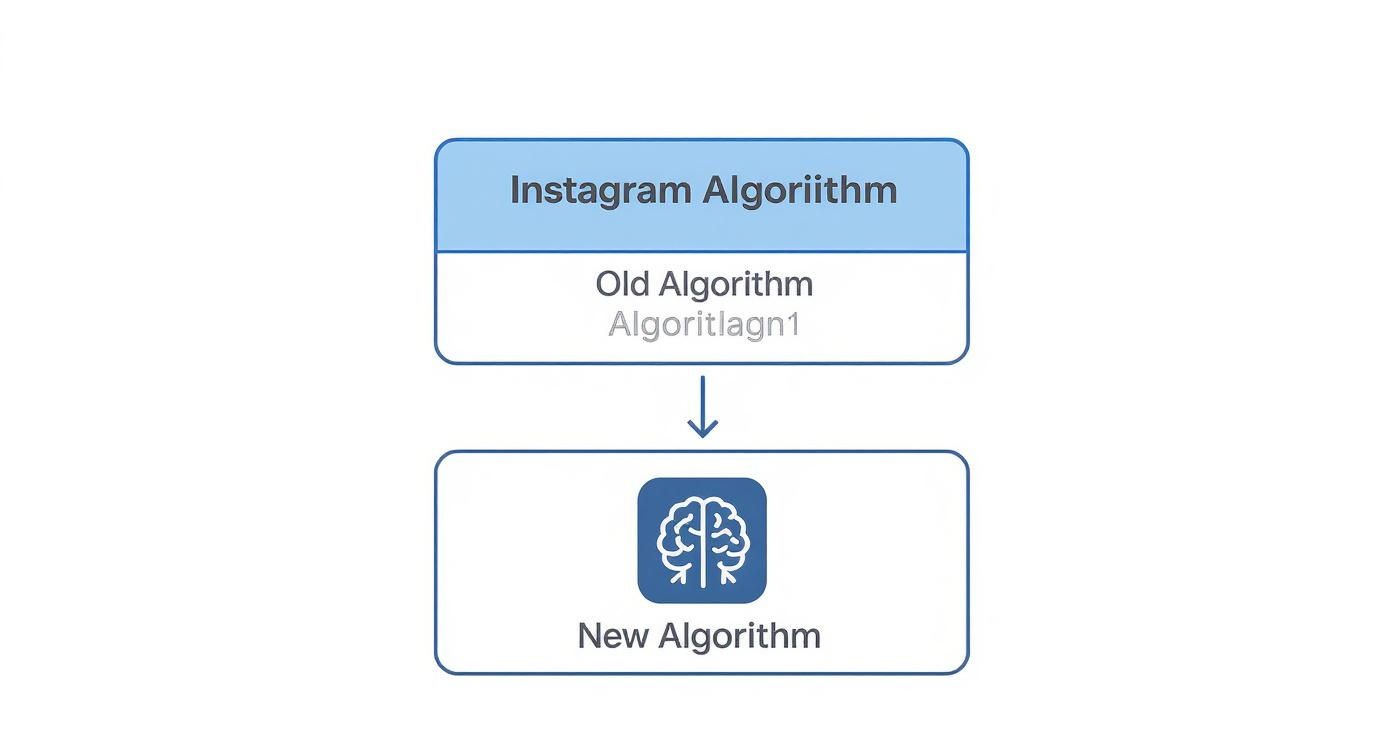
This shift means our hashtag choices have to be much more deliberate. We're sending quality signals, not just screaming for attention with a wall of tags.
For Instagram Feed Posts
Your main grid is your portfolio, the place where you build a lasting impression. For your standard image posts and carousels, the sweet spot is 8-15 hashtags. This range strikes the perfect balance, giving you enough runway to hit different audience segments without looking desperate.
A count in this range lets you build a powerful, diversified mix:
- Niche-specific tags: These connect you with your core, most engaged followers.
- Community tags: These drop your content right into a broader, ongoing conversation.
- Location-based tags: Absolutely essential for reaching local customers and communities.
Using a well-chosen set of 8-15 hashtags gives the algorithm strong, clear signals about what your content is about and who it’s for, dramatically improving its chances of landing on the right Explore pages.
For Instagram Reels
Reels are a completely different ballgame. They're built for discovery and designed to tap into fast-moving trends. While the content is different, the optimal hashtag count is surprisingly similar to feed posts: 8-15 hashtags. The strategy behind them, however, is where things change. Your goal here is to perfectly blend relevance with virality.
For Reels, think of your hashtags as a bridge. On one side is your unique content; on the other is what's currently trending. A solid hashtag mix connects the two and gets your video swept into the discovery cycle.
A winning Reels strategy includes a mix of content-descriptive tags (#DIYhomedecor), trending audio tags (#trendingsound), and any relevant challenge-specific tags. This gives your Reel multiple pathways to get found. If you really want to master this format, check out our complete guide on how to create Instagram Reels for more deep-dive tips.
For Instagram Stories
Stories are all about "in-the-moment" connection. They're quick, casual, and gone in 24 hours. Because of this, your hashtag approach needs to be minimal and hyper-focused. The best practice here is to use just 1-3 hashtags, almost always applied with the hashtag sticker.
Any more than that, and you start to clutter the screen and distract from your actual message. The goal isn't broad discovery; it's about adding a layer of searchable context. A single, highly specific tag like #LiveWebinar or #QnATuesday is all you need to make your Story discoverable by people specifically looking for that topic. It's all about precision, not volume.
How to Choose Hashtags That Actually Work

Knowing how many hashtags to use is just the first piece of the puzzle. The real magic happens when you start choosing the right ones.
Think of it this way: using the wrong tags is like shouting into a crowded stadium. You might make some noise, but you're not going to connect with the people who actually want to hear what you have to say. A successful strategy is all about crafting a smart mix of different hashtag types, each with its own job to do.
By blending broad, community-focused tags with hyper-specific niche ones, you create multiple pathways for your content to get discovered. This targeted approach is infinitely more powerful than just slapping popular—but generic—tags like #love or #instagood onto your post.
The Three Pillars of Hashtag Research
Building a killer hashtag list isn’t a guessing game. It’s all about strategic research. Your goal is to find that sweet spot: tags with enough search volume to get you noticed but not so much competition that you get drowned out instantly.
It helps to think of your hashtag strategy as a pyramid, with each level playing a key role in getting your content seen.
You can break your ideal hashtags down into three main groups:
- Community Hashtags: These are the big players, the broad tags that connect you to large, established communities. They have high search volume and are great for getting that initial burst of widespread exposure.
- Niche Hashtags: These tags are much more specific to your industry, product, or the theme of your post. They have lower search volume, but they connect you with a highly engaged audience that's actively looking for content just like yours.
- Branded Hashtags: This is a unique tag that’s all yours—for your business, a specific campaign, or your community. It's absolutely essential for tracking user-generated content (UGC) and building a recognizable brand identity.
This tiered approach ensures you’re not just fighting for attention in oversaturated hashtag pools but also owning the conversation in smaller, more valuable ones. If you want to dig deeper into discovery, our guide on how to find trending hashtags is a great place to start.
Finding Your Perfect Hashtag Mix
Your day-to-day research can start right inside the Instagram app. Just use the search bar to type in a keyword related to your post. Instagram will instantly suggest related hashtags and, crucially, show you the post count for each one. That number is your first clue to how competitive a tag is.
A word of advice: steer clear of hashtags with millions of posts. Your content will get buried in seconds. Instead, aim for the sweet spot—tags with tens of thousands to a few hundred thousand posts give you the best shot at ranking and actually being seen.
Beyond manual searching, checking out various AI tools for content marketing can help you generate content ideas and spot trending topics that can inform your entire hashtag strategy.
So, how do you put this all together? For each post, aim for a balanced list. A solid, effective mix might look something like this:
- 3-5 popular community hashtags (like
#digitalmarketingtips) - 3-5 super-specific niche hashtags (like
#socialmediamanagerslife) - 2-3 branded or location-based tags (like
#PostSyncerTipsor#LondonSmallBusiness)
This combination gives you the best of both worlds: broad reach from the community tags and deep, meaningful engagement from the niche ones. When you get this right, your hashtags stop being just a list and become a powerful tool for discovery.
Testing and Measuring Your Hashtag Performance
Figuring out the "right" number of hashtags to use is a great first step, but it’s far from the finish line. The numbers and strategies we’ve talked about are powerful starting points, but the only way to know what truly clicks with your audience is to stop guessing and start measuring.
Think of yourself as a scientist in a lab. Your Instagram account is the experiment, and your hashtags are the variables you can tweak. The whole point is to run simple tests, see what happens, and then double down on what’s actually working. This data-first approach takes the emotion and guesswork out of the equation, giving you a clear path forward.
Running a Simple A/B Hashtag Test
You don’t need any fancy or expensive tools to get started. The easiest way to begin is with a basic A/B test. The idea is simple: change just one thing at a time while keeping everything else as consistent as you possibly can. This isolates the impact of your hashtags, so you can see what’s really moving the needle.
Here’s a straightforward way to do it:
- Choose Two Similar Posts: Find two pieces of content that are visually alike and cover the same topic. Think two different shots from the same product photoshoot or two carousels sharing tips on a related subject.
- Vary Your Hashtag Count: On Post A, use your current hashtag strategy (say, 15 hashtags). For Post B, try something different—maybe a more focused set of 8 hashtags.
- Publish at Similar Times: Post them on the same day of the week and around the same time of day. This helps ensure they're being shown to a similar slice of your audience.
- Analyze the Results: Give it 24-48 hours, then dive into your Instagram Insights and compare how they did.
The real secret to a good A/B test is consistency. When you keep the content, caption style, and post time nearly identical, you can be much more confident that any big difference in performance came from the one thing you changed: your hashtags.
What to Track in Instagram Insights
When you’re ready to see the results of your test, Instagram Insights is your best friend. It’s easy to get lost in all the numbers, but for this experiment, you want to focus on the one metric that matters most: Reach from Hashtags.
You can find this by tapping "View Insights" on your post and then scrolling down to the "Reach" section. This number tells you exactly how many accounts found your post specifically because of the hashtags you used. Comparing this metric between Post A and Post B will give you a clear winner.
For a deeper dive into this process, our guide on how to measure social media performance breaks down how to track all the key metrics that matter.
Over time, you can even start building out organized hashtag sets for your main content pillars (like "Product Tips," "Behind the Scenes," or "Customer Features"). By tracking how these different sets perform, you can keep refining your strategy so it evolves right alongside your audience and the platform itself.
Alright, once you’ve got the basics of hashtag strategy down, you’ll inevitably run into a few specific questions. These are the practical, in-the-weeds details that can make all the difference between a post that soars and one that flops.
Think of this as your go-to guide for those nagging uncertainties. We're going to clear up the most common debates so you can stop second-guessing and start posting with complete confidence.
Should Hashtags Go in the Caption or First Comment?
This is one of the oldest arguments in the Instagram world, but thankfully, the answer is pretty clear these days. For a long time, the common wisdom was to tuck your hashtags into the first comment to keep your caption looking clean. While that logic makes sense from an aesthetic point of view, it's no longer the best move for performance.
Instagram itself has stated that hashtags belong directly in the caption. Why? It all comes down to speed. The algorithm needs to categorize your content the instant it goes live, and putting hashtags in the caption gives it all that information upfront. When they're in the comments, there's a tiny delay, which can cost you that crucial initial wave of visibility.
Our recommendation is simple: always, always put your hashtags in the caption. This gives your post the best possible shot at being discovered right out of the gate.
If you’re still worried about a cluttered look, just add a few line breaks (using a period or emoji on each line) to push the block of hashtags below the "…more" link. Your caption stays tidy, and the algorithm gets exactly what it needs. Best of both worlds.
How to Identify and Avoid Banned Hashtags
Using a banned hashtag is like hitting an invisible wall—it can get your post "shadowbanned," drastically crushing its reach without any notification. Instagram bans tags that get flooded with spam or inappropriate content.
What’s tricky is that perfectly normal hashtags can get caught in the crossfire. A tag like #workflow could suddenly get spammed by bots, land on the restricted list, and you'd have no idea you were using a "broken" tag.
Here’s a quick way to check if a hashtag is safe to use:
- Search the Tag: Head to the search bar in Instagram and look up the hashtag under the "Tags" tab.
- Look for a Warning: If a tag is banned or restricted, you’ll often see a message near the top saying something like, "Recent posts from #hashtag are currently hidden..."
- Check the "Recent" Tab: On the hashtag's page, look for the "Recent" tab. If it's completely gone or only shows a handful of old posts, that’s a dead giveaway the tag is flagged.
Get into the habit of manually checking your go-to hashtags every few weeks. It’s a small task that can save you from accidentally sabotaging your own content.
Are Automated Hashtag Generators a Good Idea?
Hashtag generator tools pop up everywhere, promising to spit out a perfect list of tags in seconds. While they can be a decent jumping-off point for brainstorming a few ideas, you should never, ever rely on them as your final strategy.
These tools typically pull from a generic, static database of popular tags. They don't understand the nuance of your specific image, video, or caption. A generator might suggest something broad like #fitness for a post about your morning run, but a human touch would produce a much better, more targeted list: #marathontraining, #runnersofinsta, and #morningrunviews.
The specificity and quality you get from doing your own research will always outperform a lazy, automated list. Take the extra five minutes—it's worth it.
Ready to stop guessing and start streamlining your entire social media workflow? PostSyncer provides the AI-powered scheduling and in-depth analytics you need to turn these hashtag strategies into measurable results. Plan, collaborate, and optimize your content effortlessly by starting your free trial at https://postsyncer.com.